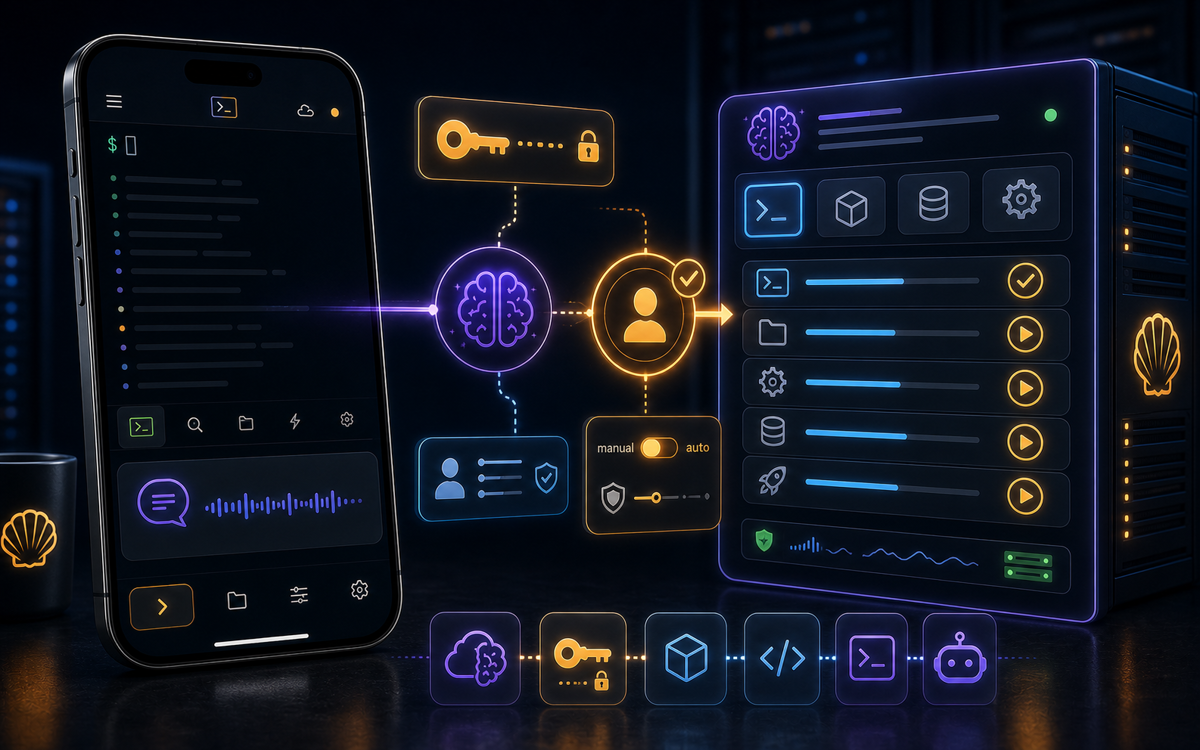
Vibe coding is an innovative approach to server management that leverages AI to enhance command-line interactions. It allows developers and system administrators to utilize AI tools to explain outputs, suggest commands, and assist in troubleshooting, all from a mobile device.
What Does Vibe Coding Mean?
Vibe coding is more than just coding; it’s about creating a fluid and intuitive interaction with your server. It combines the traditional command-line interface with advanced AI capabilities that can read and interpret the terminal outputs. This approach helps bridge the gap between complex command-line operations and user comprehension, making it easier to manage servers.
At its core, vibe coding involves using an AI assistant, like Sage in the ShellSage app, to interact with the command line. Instead of memorizing commands or sifting through documentation, users can ask Sage for help, receive explanations in plain English, and even get guidance on fixing broken commands. This makes the experience less intimidating, especially for those who may not be as familiar with the intricacies of Linux or SSH.
Vibe coding transforms command-line interactions into a collaborative experience with AI.
With vibe coding, the emphasis is on productivity and understanding. For instance, when you encounter an error message or unexpected output, Sage can analyze it and provide clarity. This functionality is particularly valuable in high-pressure situations where time is of the essence, allowing you to respond quickly and effectively.
How Can You Get Started with Vibe Coding?
To begin vibe coding, first ensure you have the ShellSage app installed on your mobile device. Once you have the app ready, you can start by connecting to your server using SSH. The command typically looks like this:
ssh user@hostReplace user with your username and host with your server's IP address or hostname. Once connected, you can start interacting with the terminal.
One of the first things you might want to do is ask Sage for a command. You can do this by tapping the “Ask Sage for a command” option. Simply describe what you want in plain English, and Sage will generate a command for you. For example, if you want to install a package, you might type:
"I want to install nginx on my server."
Sage will respond with the appropriate command, allowing you to insert it directly into your terminal for review or execution.
Explaining Outputs and Fixing Commands
A significant benefit of vibe coding is Sage's ability to explain outputs. For instance, if you run a command and receive a lengthy output, it can be challenging to decipher what it means. By long-pressing the output line, you can invoke Sage to provide a plain English explanation. This is particularly useful when dealing with complex outputs from commands like ls -l or grep.
ls -lThis command gives a detailed list of files and directories, including permissions, number of links, owner name, group name, file size, and time of last modification. If you see an output that is confusing, just ask Sage to explain it for you.
Sage turns complex command outputs into understandable insights.
Additionally, if you encounter a broken command, you can tap “Ask Sage” to troubleshoot it. For example, if you mistype a command and receive an error, Sage can suggest corrections or alternative commands to achieve your goal. This reduces the time spent researching how to fix issues and allows you to focus on the task at hand.
Using Voice and Screenshots for Efficient Workflow
Vibe coding also integrates voice dictation and screenshot diagnosis, making it even easier to communicate with your AI assistant. If you’re on the go and can’t type, you can use voice input to describe your needs. Simply tap the microphone icon and say something like:
"Show me the disk usage on my server."
Sage will interpret your voice input and provide the corresponding command, which you can then run directly. This hands-free capability is a game-changer for developers and sysadmins who are frequently multitasking or working in environments where typing isn’t feasible.
Similarly, if you encounter an error that you can't describe verbally, you can take a screenshot of the terminal output and upload it to Sage. The AI will analyze the image and provide insights or potential solutions to the problem. This feature is particularly useful for diagnosing issues that are visually complex or when error messages are lengthy.
Safety First: Understanding the Blast Radius
When working with servers, especially in a production environment, executing commands without understanding their impact can be risky. This is where the destructive-command shield and “I Want Control” mode come into play. Before running any command that could potentially harm your server, ShellSage provides a blast-radius preview, allowing you to review what the command will do.
For example, if you were about to run a command to delete files:
rm -rf /path/to/directoryShellSage will prompt you with a warning, showing you the files that will be affected. You can then decide whether to proceed or adjust your command. This level of control is essential for preventing accidental data loss and maintaining server integrity.
The blast-radius preview ensures you’re never in the dark about the actions you’re taking on your server.
By using these safety features, vibe coding allows you to experiment and learn without the fear of making irreversible mistakes. You can focus on building and fixing things with the reassurance that you have control over the commands being executed.
Why Use BYOK with Vibe Coding?
Bring Your Own Key (BYOK) is a feature in ShellSage that allows you to integrate your own OpenAI or Anthropic (Claude) key. This means that the AI runs on your account without any usage caps, giving you the freedom to explore vibe coding at your own pace. If you prefer Claude for coding assistance, you can choose that option and leverage its capabilities directly.
Using BYOK enhances your vibe coding experience by ensuring that the AI aligns with your preferences and needs. You can customize the interaction, making it more effective for your specific use cases. To set up BYOK, navigate to the settings in the ShellSage app and input your API key. From there, you can start enjoying a tailored AI experience.
Conclusion: Embrace the Future of Server Management
Vibe coding represents a significant shift in how we interact with servers. By utilizing AI to assist with command-line operations, we can enhance productivity, reduce errors, and foster a deeper understanding of the tools at our disposal. Whether you're a seasoned developer or a newcomer to server management, vibe coding is an approach that can benefit everyone.
As you explore the capabilities of ShellSage and vibe coding, you’ll find that it not only makes your workflow more efficient but also transforms your relationship with the command line into a collaborative partnership with AI.
⚡ Key takeaways
- ›Vibe coding leverages AI to simplify command-line interactions.
- ›Sage can explain outputs and suggest commands, enhancing understanding.
- ›Safety features like blast-radius preview help prevent data loss.